
The DexaFit App · Los Angeles
Set Up Your DexaFit App Account
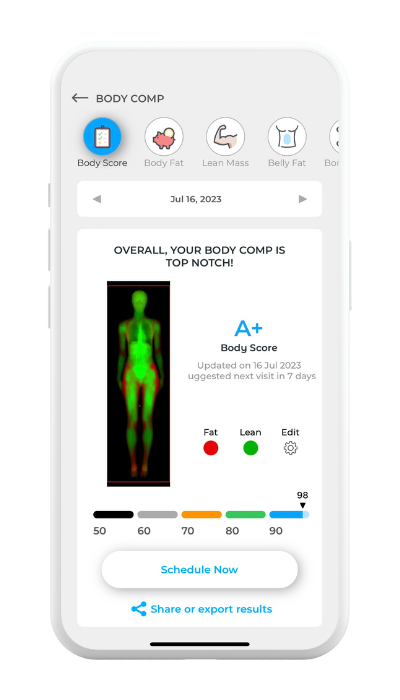
Your numbers from DexaFit Los Angeles land in the free DexaFit app the same visit you test, and they sit beside every reading from any DexaFit location worldwide.
Download the App
Install the free DexaFit app on any phone or tablet you carry:
Tap “Create Account”
Launch the app, scroll past the sign-in fields to the bottom of the screen, and choose “Create Account”.
Set Up Your Account
- Use the same email address you gave when you booked in Los Angeles.
- Choose a strong password you will remember.
- At least one uppercase letter
- At least one lowercase letter
- At least one number
- At least one special character (e.g., ! @ # $ %)
Confirm Your Email
Open the message DexaFit sends to your inbox and tap the confirmation link to switch your account on.
Log In and Explore
Return to the app, sign in with your email and password, and you are in. From the dashboard you can pull up:
- Results from your DEXA scan, RMR test, and VO₂ Max test
- Visceral fat, ALMI, and bone density numbers
- Body composition trends you can compare from one visit to the next
- Cardiometabolic insight generated by DexaFit ai
Not tested in Los Angeles yet?
Set up your account now and your first results will be ready the same visit you test. DexaFit is opening on Artesia Blvd in Redondo Beach, at the center of the South Bay. Get early access and reserve your visit.
Get DexaFit Los AngelesNeed help?
Stuck on creating your account or logging in? Send a note to support@dexafit.com and the team will help you sort it out.